
Skip to enroll

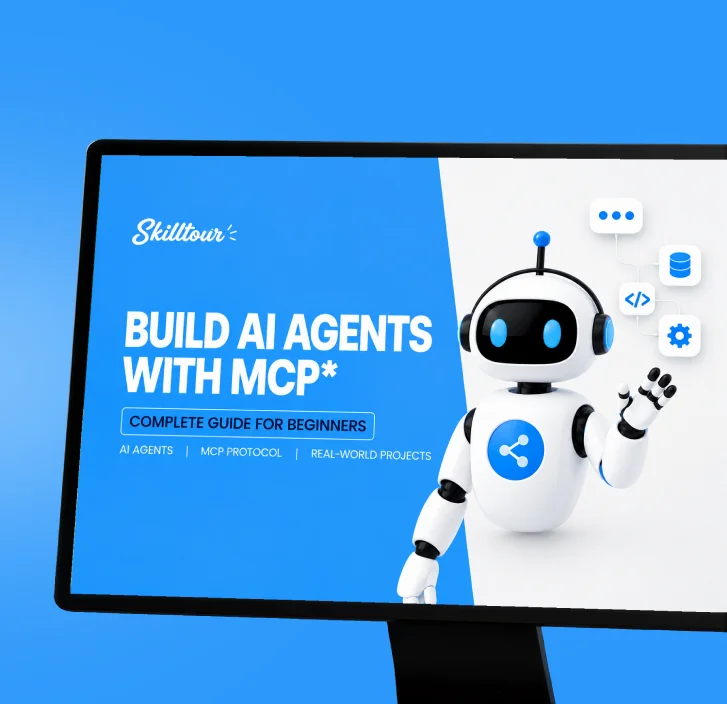
Build Your Own AI Companions with the MCP Protocol

10 Lessons
0.0 (0)
4 hours
Intermediate
Course

Learn how to design an AI companion and connect it to real tools with the Model Context Protocol. You will go from what MCP is to a small companion that can read notes, call a tool, and ask before it acts.

Overview

An AI companion is more than a chat box. It remembers a role, speaks in a consistent voice, and can use tools when you allow it. The Model Context Protocol (MCP) is the shared way an AI app talks to those tools: files, search, calendars, and your own small servers.

This course is a practical build. You will not train a new model. You will design a companion, then give it skills through MCP. Each lesson explains one idea, shows a diagram, and ends with a short task you can do on your own computer.

By the last lesson you will have a companion brief, one working tool, a second skill, and a safety checklist so the companion cannot act without a clear yes from the user.

Features

  • A clear picture of clients, servers, tools, resources, and prompts
  • A companion brief you can reuse: role, voice, memory, and limits
  • A first MCP tool that reads a note and answers from it
  • A second skill, such as search or fetching a page
  • A permissions checklist for prompt injection and human approval
  • Two quizzes so you can check the idea before you ship the companion

Target audiences

  • Developers who want AI apps to use real tools, not only chat
  • Product people who need to specify what a companion may and may not do
  • Students who know basic files, JSON, and the command line
  • Builders experimenting with Claude, Cursor, or another MCP client

Requirements

  • A computer with a modern browser and a code editor
  • Comfort reading simple JSON and following terminal steps
  • An MCP-capable client (Claude Desktop, Cursor, or similar)
  • No prior MCP experience and no model-training background

Curriculum

4 sections 12 lectures 4 hours

What an AI companion is 2 lectures 30 mins
The MCP building blocks 4 lectures 1h 6m
  • Clients, servers, and the conversation between them
    Locked 18 min
  • Tools, resources, and prompts
    Locked 18 min
  • A tour of a working MCP server
    Locked 20 min
  • Quiz: MCP foundations
    Locked 10 min
Build your companion 3 lectures 58 mins
  • Design the companion: role, voice, and boundaries
    Locked 16 min
  • Your first tool: read a note and answer from it
    Locked 22 min
  • Add a second skill: search or fetch
    Locked 20 min
Ship a companion people can trust 3 lectures 53 mins
  • Permissions, prompt injection, and human approval
    Locked 18 min
  • Test, package, and share the companion
    Locked 20 min
  • Quiz: Companion build review
    Locked 15 min

Frequently Asked Questions

01. What is MCP?

MCP is a protocol that lets an AI application call tools, read resources, and use prompts from a separate server, instead of hard-coding every integration.

02. Do I need to train my own model?

No. You design the companion and connect tools. The language model stays inside the client you already use.

03. Which programming language is used?

Examples use plain JSON and a small JavaScript or Python server. You can follow either path.

04. Is this safe to run on my own files?

Only if you approve each action. The course treats human approval, least privilege, and prompt injection as required parts of the build.

05. How long is the course?

About 4 hours, including 10 lessons and 2 quizzes.

06. Can I use this companion at work?

Use it on data you are allowed to share with the AI client. Do not connect private customer data until your organization approves the server and the permissions.

Instructors

Ryan Tanaka

UX Lead

  • 0.0 Instructor Rating
  • 0 Learners
  • 1 Course

I’m Ryan Tanaka, a UX Lead focused on creating digital experiences that put people first. I enjoy understanding user needs, identifying usability challenges, and turning research into thoughtful design solutions. Throughout my career, I’ve worked on improving user journeys and helping teams build products that feel natural and easy to use. In my courses, I share practical approaches to user research, wireframing, usability testing, and interaction design so you can create experiences that genuinely work for people.

Reviews

0.0

No ratings yet

5 0
4 0
3 0
2 0
1 0