
Introduction
Video has become one of the most powerful ways to communicate, educate, entertain, and promote businesses online. From YouTube videos and social media reels to professional advertisements and online courses, video content plays a major role in today’s digital world.
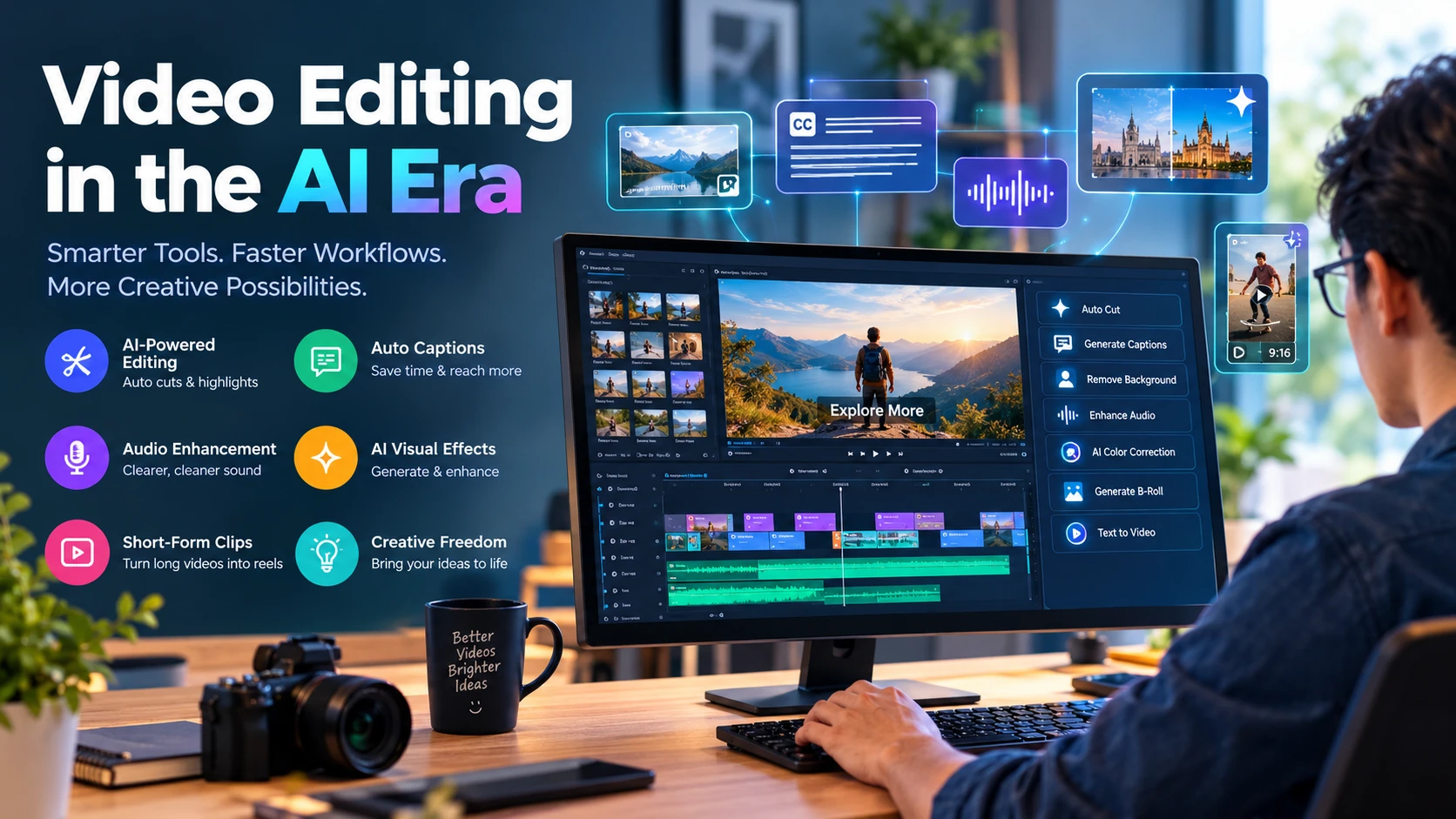
At the same time, Artificial Intelligence (AI) is transforming how videos are created and edited. Tasks that once required hours of manual work can now be completed faster with the help of AI-powered editing tools. From automatic subtitles and background removal to AI-generated visuals and intelligent editing suggestions, modern technology is making video production more accessible than ever.
Whether you are a beginner, content creator, freelancer, filmmaker, or digital marketer, understanding how to use AI in video editing can help you improve your skills and stay competitive.
1. How AI Is Changing Video Editing
Traditional video editing often involves manually cutting clips, adjusting colors, syncing audio, adding transitions, and creating visual effects. Although these skills remain important, AI is helping editors automate many repetitive tasks.
Modern AI-powered tools can analyze footage, identify important moments, generate captions, remove unwanted backgrounds, improve audio quality, and assist with creating complete video sequences.
This does not mean AI is replacing every aspect of video editing. Instead, it is changing the editor’s role by reducing repetitive work and allowing more time for storytelling, creativity, and visual direction.
2. Save Time With Automated Editing
One of the biggest advantages of AI video editing is time efficiency.
AI-powered features can help editors:
- Automatically detect scenes and organize footage.
- Remove pauses and unwanted sections from recordings.
- Generate rough cuts from long videos.
- Find highlights for short-form content.
- Synchronize audio and video clips.
- Apply editing suggestions based on the content.
For YouTubers, educators, podcasters, and businesses producing videos regularly, these features can simplify workflows and reduce editing time.
However, automated edits still need human review to ensure the final video flows naturally and communicates the intended message.
3. Create Subtitles and Captions Automatically
Subtitles are essential for making videos more accessible and easier to understand, particularly when viewers watch without sound.
AI speech recognition can convert spoken words into text and synchronize captions with video timelines. Some tools also support translation into multiple languages.
Automatic captions are useful for:
- YouTube videos and tutorials.
- Facebook and Instagram Reels.
- TikTok videos and short-form content.
- Online courses and educational materials.
- Interviews, podcasts, and business presentations.
Although AI can generate captions quickly, reviewing names, technical terms, punctuation, and translations is important to maintain accuracy.
4. Improve Video and Audio Quality
Good audio and clear visuals can make a significant difference in the quality of a video.
AI-powered editing tools offer features that can help improve production quality, including:
- Background noise reduction.
- Voice enhancement and dialogue isolation.
- Automatic color correction.
- Video stabilization.
- Background removal and replacement.
- Upscaling of supported footage.
- Detection and correction of certain visual imperfections.
These features are particularly helpful for creators who record videos at home, work with limited equipment, or produce content in challenging environments.
Nevertheless, AI enhancement cannot always restore missing details or completely fix poor-quality recordings. Good lighting, clear audio, and careful filming remain valuable.
5. Explore AI-Generated Videos and Visual Effects
AI is also expanding what creators can produce without traditional filming.
Depending on the tool, users can generate video clips from text prompts or images, create animated scenes, produce synthetic voiceovers, and experiment with visual effects.
These capabilities can support:
- Promotional and advertising videos.
- Educational animations.
- Product demonstrations.
- Concept videos and storyboards.
- Creative social media content.
- Visual experiments for films and presentations.
AI-generated footage can be especially useful when recording a scene is expensive, difficult, or impractical. However, creators should check licensing conditions and disclose synthetic content when appropriate, particularly when realistic scenes or people could mislead viewers.
6. Turn Long Videos Into Short-Form Content
Short-form videos have become an important content format across social media platforms.
AI tools can help identify engaging moments from interviews, podcasts, webinars, and long-form videos. Some can also reframe horizontal footage into vertical formats, generate captions, and suggest suitable clip lengths.
For example, a 30-minute interview could provide several short clips for social media, each focusing on a different topic or useful insight.
Editors should still select clips carefully. A short video needs a clear message, appropriate context, a strong opening, and a natural ending to keep viewers interested.
7. Popular AI Video Editing Tools to Explore
Several established editing platforms offer AI-assisted features for different experience levels.
Adobe Premiere Pro: Offers AI-assisted editing capabilities, speech-to-text workflows, audio enhancement, and other professional post-production tools.
DaVinci Resolve: Combines professional video editing and color grading with AI-powered features in supported versions and editions.
CapCut: Provides accessible editing tools and AI-assisted features for social media videos, captions, and short-form content.
Descript: Focuses on text-based editing for spoken content, making it useful for podcasts, interviews, and tutorials.
Runway: Offers generative AI tools for creating and manipulating visual content and experimenting with AI-assisted video workflows.
Features, availability, pricing, and usage limits vary by product and subscription. Before choosing a tool, consider your editing experience, computer hardware, budget, and the type of videos you want to produce.
8. Why Video Editors Should Learn AI Skills
As AI tools become more common in creative workflows, video editors can benefit from learning how to combine traditional editing knowledge with modern AI capabilities.
Learning AI-assisted video editing can help you:
- Complete projects more efficiently.
- Expand your creative possibilities.
- Produce content for different platforms.
- Improve your workflow and organization.
- Offer additional services to clients.
- Adapt to changing industry expectations.
For freelancers and content creators, these skills may create new opportunities in social media management, advertising, online education, and digital content production.
However, professional success still depends on more than knowing which AI buttons to click. Storytelling, pacing, composition, sound design, color theory, communication, and client understanding remain essential skills.
9. Will AI Replace Human Video Editors?
This is one of the most common questions in the creative industry.
AI can automate many technical tasks, but effective video production requires creative decisions that depend on context, emotion, audience, and purpose.
A human editor understands why a particular scene matters, when to build suspense, how music influences emotion, and which moments best communicate a story.
AI may change the skills employers and clients value, but editors who learn to use these tools thoughtfully can combine automation with human creativity.
Rather than viewing AI only as a threat, video editors can treat it as an additional tool in their creative toolkit.
10. How to Start Learning AI Video Editing
If you are new to video editing or want to upgrade your existing skills, follow a practical learning path.
Step 1: Learn the fundamentals. Understand timelines, cutting, transitions, audio, color correction, and storytelling.
Step 2: Choose an editing platform. Start with a tool that matches your budget and computer capabilities.
Step 3: Practice AI-assisted features. Experiment with automatic captions, noise reduction, background removal, and scene detection.
Step 4: Complete real projects. Edit a tutorial, create a product promotion, or turn a long interview into short clips.
Step 5: Build a portfolio. Save your best work to demonstrate your editing ability and creative style.
Step 6: Keep learning. Explore new tools while developing the fundamental skills that make videos engaging and effective.
Practical experience is essential. The goal is not simply to use more AI features but to produce better videos that meet a clear purpose.
Conclusion
Artificial Intelligence is reshaping the video editing industry by making many production tasks faster, more accessible, and more flexible. From automatic captions and audio enhancement to AI-generated visuals and short-form content creation, these tools are opening new possibilities for creators at every skill level.
Yet technology alone does not make a video successful. Strong storytelling, thoughtful editing, creativity, and attention to detail continue to distinguish quality content.
For beginners, professionals, freelancers, and content creators, learning AI-powered video editing is an opportunity to improve existing skills and prepare for the future of digital content creation.
The future of video editing is not just about editing faster. It is about combining human creativity with intelligent technology to tell better stories.

Make Comment
Your email address will not be published.
Comments 0